Home
A woman points with a pen at an iPad to explain something, a young girl sits next to her, smiling

Parents

For the protection of children

A woman looks at a young girl, both are sitting on a sofa and holding a mobile device in their hands

Relution MDM for parents

Students often use their tablets outside of school hours too, whether the tablet is on loan from the school or the parents paid for it themselves. Like teachers in class, parents want a say in which apps are used at which times, and without having to change something on their child's device every time. With the Relution Parent App, parents can manage their child's app usage remotely. The settings and policies defined by the school IT remain untouched.

Device management for parents

When it comes to school devices, two big questions tend to occupy parents: how far does the school's access to the device reach, and does the school see private use? At the same time there is the question of who in the family regulates media use in the afternoon, when the school device is also used for gaming, streaming and chatting.

A mobile device management system creates a clear separation between the two areas: the school manages the school part of the device and enforces youth protection and data protection. Parents get access to use outside of school hours and define which apps may be used when. That keeps the school device under control at home as well, without school and parents interfering in each other's responsibilities.


The Relution Parent App at a glance

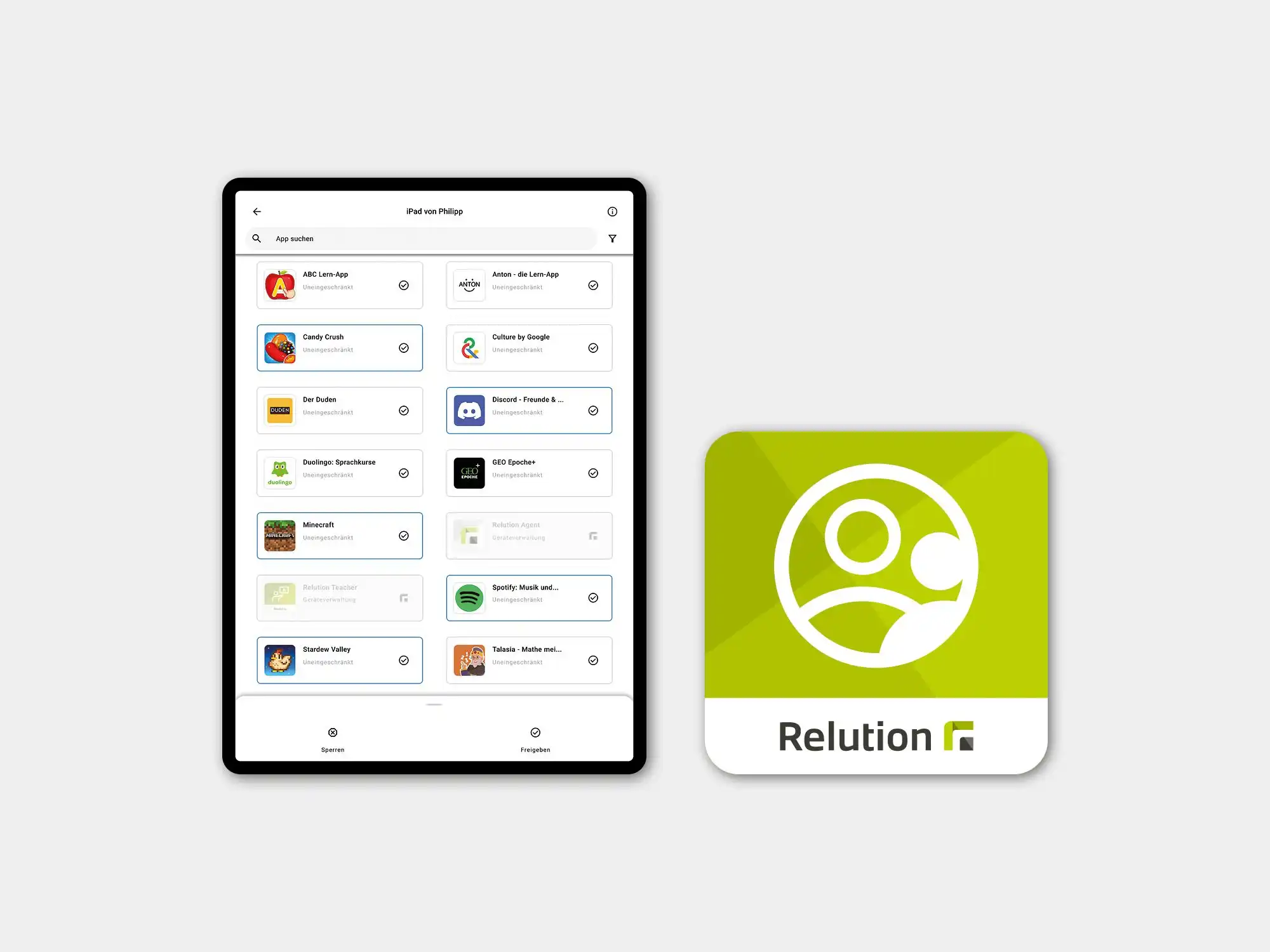
The Parent App is installed on the parents' device and connects to the Relution Agent app on the student device. In it, parents see the installed apps and can block them or unblock individual ones. The app does not show files, messages, photos or the student's location.

What does Relution offer parents?

Relution covers the areas that matter most to parents in relation to a school device: control over apps during school hours, safe delivery of content after school, the separation of school and private use, and the protection of student data.

Relution in everyday school life

  • Controlling apps after school

    YouTube every Wednesday from 4:00 p.m. to 5:00 p.m., the game blocked until homework time, the learning app permanently open. Parents set rules like these in the Parent App without having the student device in hand. Four types of restriction are available for each app:

    • Complete lock or unlock, until the Parent App removes the restriction
    • Temporary lock or unlock, from the current time until a specified end time
    • Scheduled block or unblock on selected weekdays at defined start and end times
    • Schedule profiles for recurring patterns, created once and permanently active
  • Separating school and free time

    The school's rules belong in class and should not stay on the device afterwards. Many schools therefore tie their policies to the school network: when the device connects to the school Wi-Fi, the school rules apply, and outside it they fall away. What stays and what changes:

    • Permanently on the device: the school's Wi-Fi profile and the mandatory apps for lessons
    • Only on the school network: the restrictions for lessons
    • Outside school, what the parents have set in the Parent App applies
    • During a lesson, the teacher's setting takes precedence, because parent settings have the lowest priority
    • On the private part of the device, the school does not record any apps, files or messages
  • Protecting student data

    A school device holds personal data of minors. Where this data is stored is decided by the school board and not by a provider abroad: Relution is developed and operated in Germany, in the school infrastructure, in a municipal data center or in a German cloud. What that means for students:

    • No Apple, Google or Microsoft account needed, because sign-in runs via the school account
    • No data communication with servers outside the EU
    • On iPads, the Relution Decon content filter rates websites by category, age rating and the lists of the Bundesprüfstelle
    • Age restrictions for apps and content are set centrally by the school
    • If a device is lost, the school locks it remotely or wipes the school area

One device, two responsibilities

Parents are responsible for their children's media use without having control over a device that the school manages. Device management with separate rights gives both sides the access they need: the school for lessons, the parents for the time afterwards. The student data stays in Germany.

Frequently asked questions about school devices for parents

Parents see the apps installed on the student device and can block or unblock each one individually. Three options are available for this: the complete lock, which applies until it is removed, the temporary lock until a specified end time, and the scheduled block on certain weekdays at defined times. Recurring rules can be stored as a schedule profile, for example unblocking YouTube every Wednesday from 4:00 p.m. to 5:00 p.m. There is no access to the child's files, messages, photos or location.

In the Relution Agent app on the student device, the device information section contains a QR code that parents scan with the Parent App. They then assign a device name, enter their email address and can send the school administrator a free text message, for example the class name.

Approval takes two steps: first the parents confirm their email address via a link, then the school IT administrator approves the pairing.

For any problems, the school administration is responsible, not Relution support.

Yes. A student device can be connected to up to five Parent Apps, so that both parents and a grandparent, for example, have their own access. Conversely, any number of student devices can be managed in one Parent App. The devices do not have to be registered at the same school or on the same Relution server.

During lessons, yes. The parents' time-based restrictions have the lowest priority, so that class mode and system-wide policies take precedence. This lets a teacher run the lesson even if the parents had unblocked an app for that period. Outside of school hours, the parents' settings apply. The school administration can also disconnect an existing pairing at any time.

On the parents' side, the app runs on iOS and Android devices; the student devices can be iOS or Android Enterprise. The combination is free: an Android device belonging to the parents can control a student's iPad and vice versa. On the student side, the requirement is a device managed by the school with Relution and running the latest Relution Agent, which the school administrators have approved for pairing. There are no special requirements for the parent device beyond the installed app.

The school manages the school area of the device. Private apps, personal files and messages are not recorded. Many schools additionally tie their policies to the school network, so that the school restrictions do not apply outside the school grounds. How far access reaches in an individual case is defined by the school board and set out in the acceptable use agreement.

No. The parent device is not managed by Relution; only the Parent App runs on it. There is no external access to the parents' private data. The app shows only the apps on the paired student device.

That is decided by the school or the school board. On iPads, the Relution Decon content filter can be used, which rates websites by category, age rating and the lists of the Bundesprüfstelle. Some school boards let filtering apply only on the school network and leave the time afterwards to the parents, others filter continuously. The school's acceptable use agreement provides information on this.

Relution runs in the school's infrastructure, in a municipal data center or with a German cloud provider. No Apple, Google or Microsoft account is needed for the students, because sign-in runs via the school account in the directory service. There is no data communication with servers outside the EU.

The school's IT administration locks the device remotely or wipes the school area, without needing the device to hand. Private content is retained when the school area is wiped. Parents have no lock or locate function via the Parent App; the route is via the school administration or via their own Apple or Google service.

The school removes management from the device, so the school policies, profiles and mandatory apps fall away. A parent-funded device remains the property of the family and can then be used privately without restriction. Since the pairing runs via the Relution Agent, access via the Parent App ends together with management.