
Home

MDM

Mobile Device Management (MDM) by Relution

Mobile devices such as smartphones, tablets, laptops, and even interactive whiteboards play a central role in modern work environments and educational institutions. They enable flexible workflows and open up new possibilities for collaboration and innovation. However, they also bring new challenges, such as the protection of sensitive data, adherence to security standards, or the efficient management of numerous devices.

This is where Mobile Device Management (MDM) comes into play. With an MDM solution, companies, schools, and other organizations can centrally manage mobile devices, enforce security policies, and ensure the protection of sensitive information. At the same time, the system allows IT teams to automate processes, control data flows, and comply with regulations such as GDPR. As a result, work and learning environments can become both more flexible and more efficient.

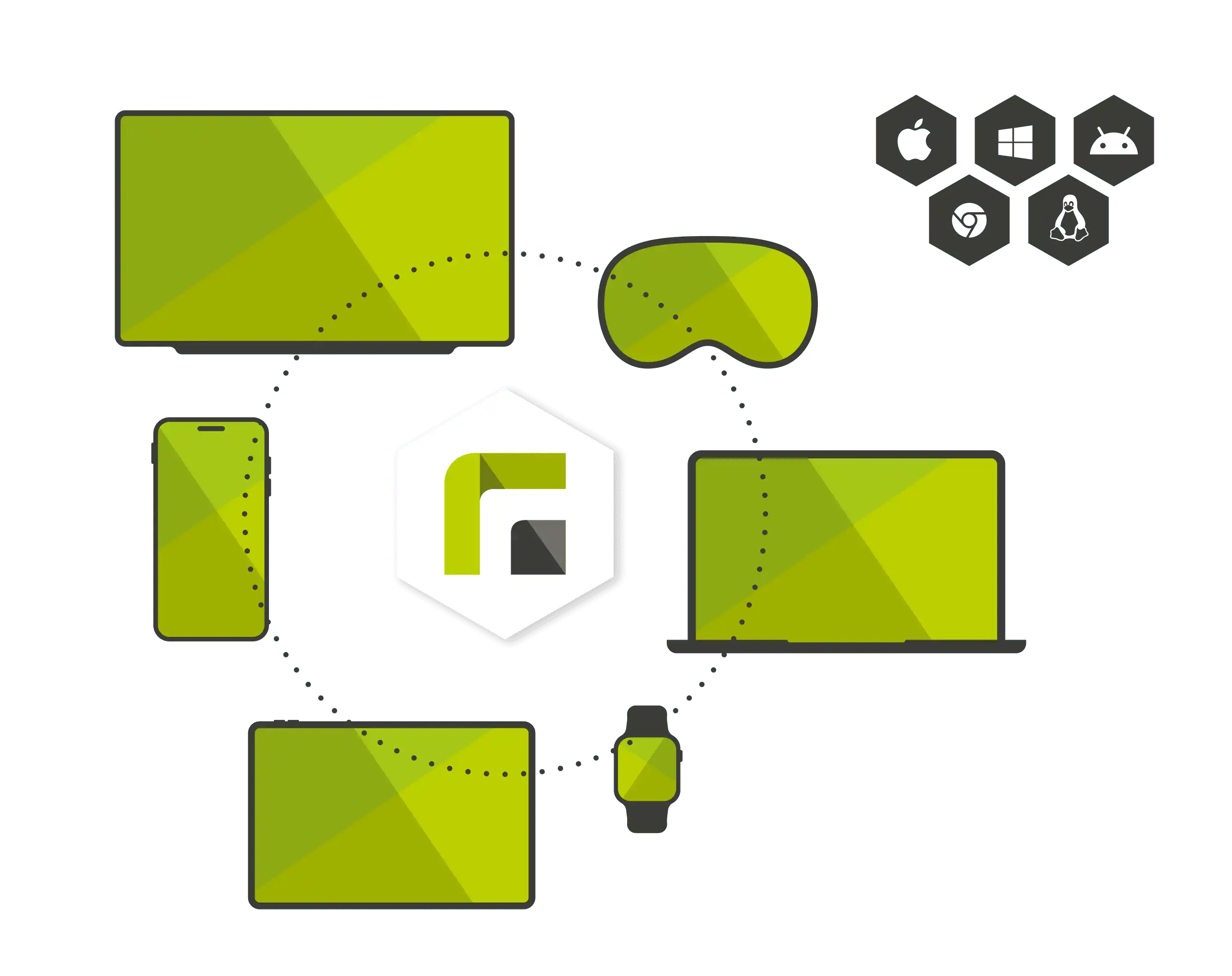
Relution offers multi-platform capability for managing various devices

What Are the Key Features and Benefits of an MDM System?

An MDM system significantly simplifies the management and security of mobile devices. Organizations can define central security standards, automate the deployment of applications, and monitor devices through real-time tracking. This is especially advantageous for businesses with heterogeneous device fleets, multiple locations, or hybrid working models.

With features such as data encryption, remote wipe options, and automated device configuration, the MDM system not only protects against cyber threats but also supports compliance with data protection requirements. Additionally, a central MDM platform reduces administrative effort and helps standardize IT processes, without limiting the flexibility of employees or students.

Relution in Practice – Our Success Stories

  • BARMER

    BARMER – Secure Digital Workflows Thanks to VPN and MDM

    BARMER, one of Germany's largest health insurance providers, relies on Relution to protect the highly sensitive data of its approximately 5,000 employees. A key challenge was ensuring a secure and fast connection between mobile devices, such as iPhones and iPads, and corporate resources. Relution developed a VPN solution seamlessly combined with MDM. This integration enhances security standards and streamlines IT operations through centralized management.


  • City of Stuttgart

    City of Stuttgart – Digitalization Expert with Over 3,000 Devices

    The City of Stuttgart has been successfully managing its digital device fleets for more than ten years with Relution. From City Hall to the Fire Department, employees access securely configured devices such as iPads or iPhones. Relution has smoothly implemented specific requirements, including the use of APNs and user-based management via local servers—an example of effective digital transformation at the municipal level .

  • Koblenz

    Koblenz – Seamless Transition to Relution Across 41 Schools

    The Koblenz Data Center decided to fully replace its existing MDM system with Relution as part of a major migration. Over 23,000 active users benefit from a platform that offers cross-platform device management, meets data protection standards such as GDPR, and provides specific school functions, including centralized class management. Careful planning and close communication were key to its success.

Are you convinced? Want to learn more about Relution in action?

Apple and Relution logo on a MacBook – management of Apple in Relution is displayed

What does an MDM system offer for macOS and iOS?

An MDM system for macOS and iOS enables centralized management of Apple devices like iPhones, iPads, and MacBooks. Features such as the Device Enrollment Program (DEP) and the Volume Purchase Program (VPP) facilitate quick application deployment and efficient implementation of security policies. These tools simplify the integration of Apple devices into IT infrastructures.

Android and Relution logo on an Android tablet – management of Android in Relution is displayed

How does an MDM system support the management of Android devices?

An MDM system for Android devices provides comprehensive control and management functionalities. Using the Android Enterprise Framework, device fleets can be automatically configured with Zero-Touch Enrollment, and applications can be centrally distributed via the Managed Google Play Store. This is particularly useful for companies and educational institutions managing a wide variety of Android devices.

Windows and Relution logo on a Windows computer – management of Windows in Relution is displayed

What are the advantages of an MDM system for Windows devices?

An MDM system for Windows devices simplifies the centralized management of laptops, desktops, and tablets. Features such as Microsoft AutoPilot and security tools like BitLocker enable automated device configuration and reliable data protection. This reduces effort while enhancing security.

Linux and Relution logo on a Linux device – management of Linux in Relution is displayed

Does an MDM system offer support for Linux devices?

An MDM system for Linux enables centralized management of popular distributions such as Ubuntu, Debian, or Red Hat. With role-based access controls and endpoint encryption, Linux devices are securely integrated into hybrid IT environments. This helps users efficiently manage even complex infrastructures.

ChromeOS and Relution logo on a Chromebook – management of ChromeOS in Relution is displayed

How can an MDM system simplify the management of ChromeOS devices?

With an MDM system for ChromeOS devices like Chromebooks, these devices can be centrally managed and flexibly configured. Features such as Kiosk Mode and additional control options enable secure and efficient administration. ChromeOS thus becomes a versatile platform for various application scenarios.

Relution logo in front of a blank whiteboard

What requirements does an MDM system fulfill for interactive whiteboards?

An MDM system for interactive whiteboards enables centralized administration and the implementation of uniform security policies, even for stationary devices. IT administrators can remotely perform firmware updates across platforms and manage specific device settings. This significantly simplifies and secures their use in schools and offices.

Frequently Asked Questions About Mobile Device Management (MDM)

A Mobile Device Management System (MDM) is a software solution designed to help companies, schools, and organizations centrally manage and monitor their mobile devices. It connects all devices through a management platform, enabling IT administrators to deploy security policies, centrally distribute applications, and monitor or protect devices in real time. Centralized management plays a crucial role in sectors like public administration, critical infrastructure, and government organizations to ensure the highest security standards and effectively safeguard sensitive data.

Typically, an MDM system consists of a server that manages commands and a client agent installed on devices to implement the defined policies. This communication facilitates centralized configuration and adjustment of devices without requiring physical access. Key features of an MDM include data encryption, remote wipe (to erase data in case of loss), device monitoring, and centralized management of apps and network settings.

Modern MDM systems are flexible and suitable for cross-platform use, making them particularly useful for heterogeneous device fleets. Supported device types include:

  • Smartphones and tablets running iOS, Android, or even Windows Mobile can be fully managed, including BYOD devices (Bring Your Own Device), while ensuring that business and personal data remain separate.
  • Laptops and desktops, such as Windows and macOS systems, can be seamlessly integrated into an MDM to maintain compliance with security standards and company policies.
  • ChromeOS devices, including Chromebooks, can be centrally managed, making them particularly valuable for use in educational institutions and public organizations.
  • Linux workstations, including popular distributions like Debian, Ubuntu, or Red Hat, can be centrally monitored, secured, and administered for better control.
  • Interactive whiteboards, often found in classrooms and conference rooms, can also be configured, updated, and managed using an MDM platform for optimal performance.
  • IoT and specialized devices benefit from tailored MDM features that allow the efficient management and protection of these endpoints.

The platform-agnostic nature of modern MDM solutions is a key advantage, allowing them to manage diverse devices effectively.

An MDM system creates a structured approach to device management while enhancing IT security. With increasing mobility and the shift to hybrid working models, companies face numerous challenges: growing risks from data loss, cyberattacks, or stolen devices, as well as complex IT infrastructures that make management difficult.

An MDM system allows all devices to be configured and controlled through a single platform. It protects sensitive data through security protocols such as encryption and access controls, automates updates, and ensures compliance with applicable regulations. This makes the IT environment more efficient and secure, enabling employees to work productively from the office, at home, or on the go.

An MDM system offers numerous security mechanisms that guarantee the protection of mobile devices and sensitive data. These include:

  • Device lock and remote wipe capabilities, which prevent misuse by allowing lost or stolen devices to be locked or wiped remotely.
  • Data encryption that secures both locally stored and transmitted data, ensuring protection against unauthorized access.
  • Monitoring and alerts that identify suspicious activities or vulnerabilities in real-time and notify the IT team automatically.
  • Security policies such as password requirements, multi-factor authentication, and app usage restrictions, which enhance overall device security.
  • Separation of business and personal data through container solutions that are particularly beneficial in BYOD scenarios, ensuring corporate information remains protected.

These security features make an MDM a critical tool for IT departments to proactively prevent cyberattacks and data theft.

Yes, the adaptable and scalable nature of an MDM system makes it highly suitable for small businesses and organizations. Even with only a few devices, companies can benefit from features such as:

  • Centralized updates and configurations that allow small teams to set up devices effortlessly, reducing the need for manual intervention.
  • Enhanced security provided by data encryption and access control measures, ensuring that sensitive information does not fall into the wrong hands.
  • Efficient resource management that minimizes administrative efforts and saves time, which is especially beneficial for organizations with limited IT resources.

By integrating an MDM system, even small businesses can implement professional standards and enhance the security of their operations.

An MDM system is a valuable tool for schools and educational institutions as it simplifies the management of numerous devices and creates a secure digital learning environment. The key benefits include:

  • Centralized management that allows devices such as tablets or Chromebooks to be preconfigured and managed centrally, significantly reducing the workload for IT administrators.
  • Child protection and content filters that block unwanted apps and websites while ensuring controlled access to relevant learning content.
  • Classroom management that enables teachers to lock devices, allow access to certain apps, or disable specific functions during lessons to keep students focused on the learning materials.
  • Compliance with data protection regulations that ensures student and teacher data remain protected through container solutions and security standards such as GDPR.

These features make MDM an essential component for implementing modern digital education concepts.

An MDM system helps organizations meet the requirements of the General Data Protection Regulation (GDPR). It offers features such as:

  • Data minimization through clear configuration guidelines to ensure that only the necessary data is processed.
  • Data encryption that ensures all data, whether stored locally on devices or transmitted, is reliably encrypted and protected against unauthorized access.
  • Transparency provided by logging functions that allow IT administrators to track how data is processed or used.
  • Control mechanisms that enable administrators to implement policies restricting access, adjusting permissions, or quickly deleting data in case of device loss.

These measures ensure that personal information remains protected and that legal requirements are securely met.

The Bring-Your-Own-Device (BYOD) model offers numerous advantages, such as reduced acquisition costs and increased employee satisfaction. At the same time, it poses challenges, particularly in terms of security and compliance. With an MDM system, BYOD devices can be managed effectively:

  • The separation of business and personal data is achieved through work profiles or container solutions, ensuring sensitive corporate information is stored only in the business section of the device.
  • Security policies can be enforced on personal devices as well, such as requiring passwords or restricting app usage, while respecting user privacy.
  • Remote management allows the corporate section of the device to be wiped in the event of a device loss, leaving personal data untouched.

In this way, MDM combines the flexibility of BYOD with a high level of security.